
Attendance terminal
Clock-ins recorded even offline.
The new terminal on the tablet at the entrance confirms every clock-in and clock-out instantly. When the network drops, it stores records securely and sends them on its own once the connection is back. Nobody has to fill anything in later.
Offline terminal on a tablet
The internet goes down. Attendance doesn’t.
The new terminal runs directly on the tablet as an app, not as a web page — that’s why it copes with network outages.

- 1
Records wait encrypted
While offline, records are stored on the tablet encrypted (AES-256-GCM). The key lives in the device’s secure storage, not in a file.
- 2
The server sets the time
The tablet anchors its clock to the server. Changing the tablet’s clock won’t fake attendance; a record without verified time is flagged.
- 3
PIN works offline
The tablet doesn’t know employees’ PINs, only their hashes (HMAC) with a key that is different for every tablet.
- 4
Nothing is saved twice
Every record has its own identifier, so if it is sent again, the server won’t store it a second time.
Pairing in kiosk mode
A tablet that does attendance and nothing else.
The kiosk app locks the tablet to the attendance terminal — employees can’t reach other apps or settings. The tablet is paired with a site using a code from the admin.
- 1
In the admin
Sites → Pair. The system creates a 6-digit site pairing code.
- 2
On the tablet
Enter the code on the tablet. The admin can also send it to the tablet remotely.
- 3
Done
The tablet belongs to the site and shows the terminal. It only sees its own site and company.
Tablet overview
The site admin sees tablets with their status and can give them a custom name and note.
Lost tablet
A tablet can be revoked in the admin. Its data is wiped at the next connection.
Replacement or repair
The same tablet pairs back to its place after reinstalling; the admin code is still required.
Face ID with consent
Face recognition only when the employee agrees.
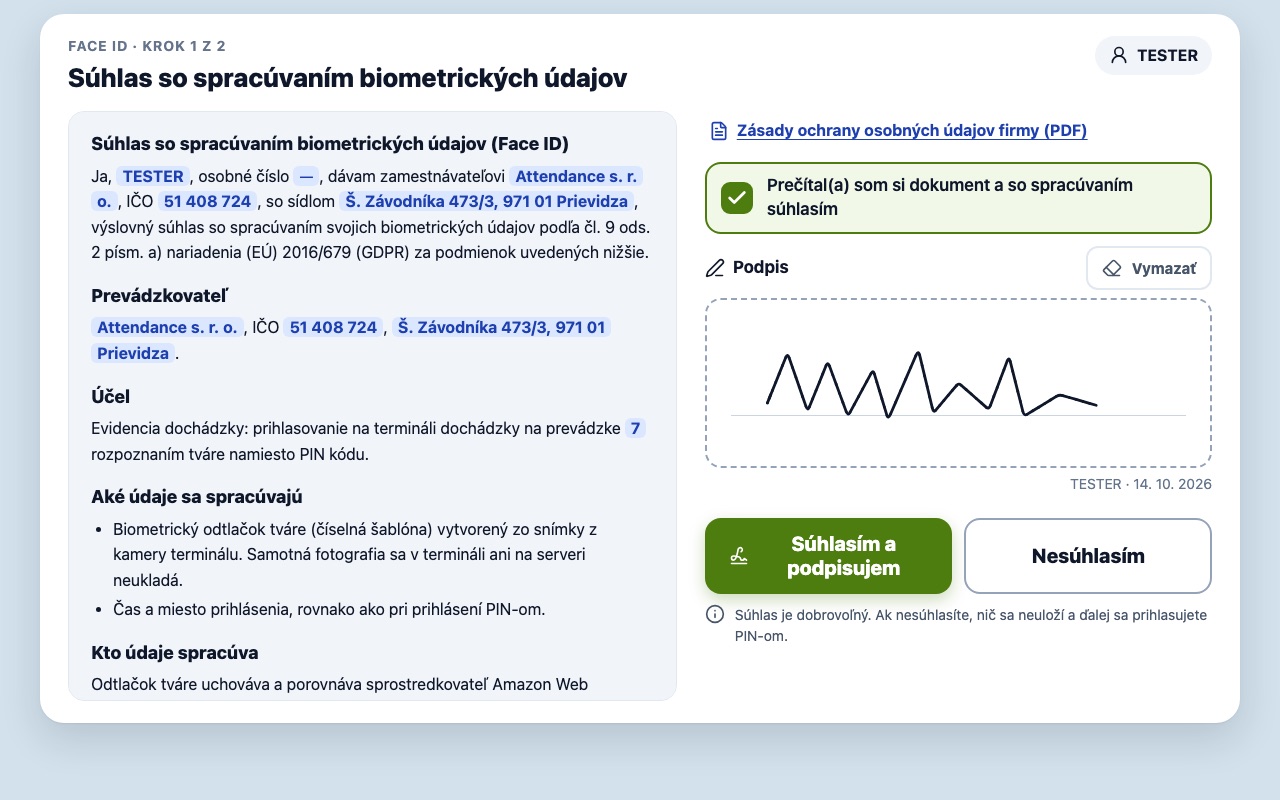
Biometrics are sensitive data (Art. 9 GDPR). That’s why Face ID is voluntary, with explicit consent, and PIN always remains an equal option.
- 1
Offer after PIN login
The admin turns Face ID on for a specific employee, or a site offers it to everyone (off by default). “Not now” is always possible.
- 2
Consent signed with a finger
The employee reads the consent pre-filled with their details, ticks it and signs with a finger on the tablet. Only then does the camera turn on.
- 3
Consent PDF
The signature produces a PDF with the time of signing and a checksum. Admins find it on the employee card, employees in their account.
- 4
Withdraw any time
Consent can be withdrawn in the employee account. The face is deleted and login continues by PIN. If they decline, nothing is stored.

Personal terminal on the phone
Attendance from your own phone — and no biometrics at the employer.
Employees record clock-in, clock-out and breaks from their own iPhone or Apple Watch.
Two-step device check
The phone is activated with a pairing code from the admin and a login by the same user.
Face ID checked by the phone
The face or fingerprint is verified by the iPhone. The employer receives no biometric data, only a signature from the secure chip.
Records only for yourself
Employees only ever record their own attendance. Managers see which device a record came from.
My devices
Every device has its own access and can be revoked separately — by the employee or the admin.
Security, GDPR & NIS2
Documented: where each piece of data lives.
The terminal comes with audit documentation: what data is processed, where it is stored, what is never stored, risks and measures, and component versions.
Want to see the new terminal live?
The terminal is in pilot operation. We’ll gladly show it to you and advise which tablet to choose.